
Description
Content Refresher automatically identifies blog posts that have become stale and uses AI to generate updated drafts. You stay in full control: nothing is published without your explicit approval.
How it works
- Scan – The plugin checks your posts daily and selects those older than your configured threshold (e.g. 6 months).
- Refresh – Each selected post is sent to the Content Refresher API, which uses real-time data and AI to generate a refreshed version.
- Verify – The new draft appears in the plugin’s Verification Queue. You review and approve (or reject) each one.
- Publish – Only approved drafts are applied to your post. You are always in control.
Who is it for?
- SaaS companies with content-heavy blogs that need to stay current
- Digital agencies managing multiple client WordPress sites
- In-house SEO & content teams looking to automate content maintenance at scale
Key Features
- AI-generated content refresh drafts (powered by Google Gemini via the Content Refresher API)
- Human-in-the-loop approval workflow — nothing goes live without your OK
- Free trial token on installation — test the plugin risk-free with one complimentary refresh, no credit card required
- Post Scope Selector — refresh all posts, filter by category or tag, or pick specific posts manually
- Configurable post age threshold, daily limit, and cooldown period
- Supports both Publish Date and Modified Date for staleness detection
- Credit-based system — buy only what you need, credits never expire
- Domain-limited licenses for security
External Services
This plugin connects to the following external services:
1. Content Refresher API
The plugin sends data to the Content Refresher API to analyze and generate refreshed content drafts.
Data sent and when:
- Your WordPress site domain (sent on every settings page load to verify the license and sync credits)
- Your license key (for authentication)
- The post title, post content, and focus keyword of the post being refreshed (only when a content refresh is triggered — manually or via scheduled cron)
This data is used solely to authenticate your license, track credit usage, and generate a refreshed content draft using Google Gemini AI. Post content is not stored permanently after the response is returned.
- Service URL: https://content-refresher.com/
- Privacy Policy: https://content-refresher.com/privacy.html
- Terms of Service: https://content-refresher.com/terms.html
2. Google Gemini AI (used server-side by the Content Refresher API)
- Service: https://ai.google.dev/
- Privacy Policy: https://policies.google.com/privacy
3. Lemon Squeezy (payment processor for purchasing credits)
When you click “Buy More Credits” inside the plugin, you are redirected to a Lemon Squeezy checkout page. No payment data is processed by this plugin directly — all payments are handled entirely by Lemon Squeezy.
- Service URL: https://www.lemonsqueezy.com/
- Privacy Policy: https://www.lemonsqueezy.com/privacy
- Terms of Service: https://www.lemonsqueezy.com/terms
By installing and activating this plugin you agree to the Content Refresher Terms of Service and Privacy Policy linked above.
Screenshots
Verification Queue – Review AI-generated drafts before anything goes live. 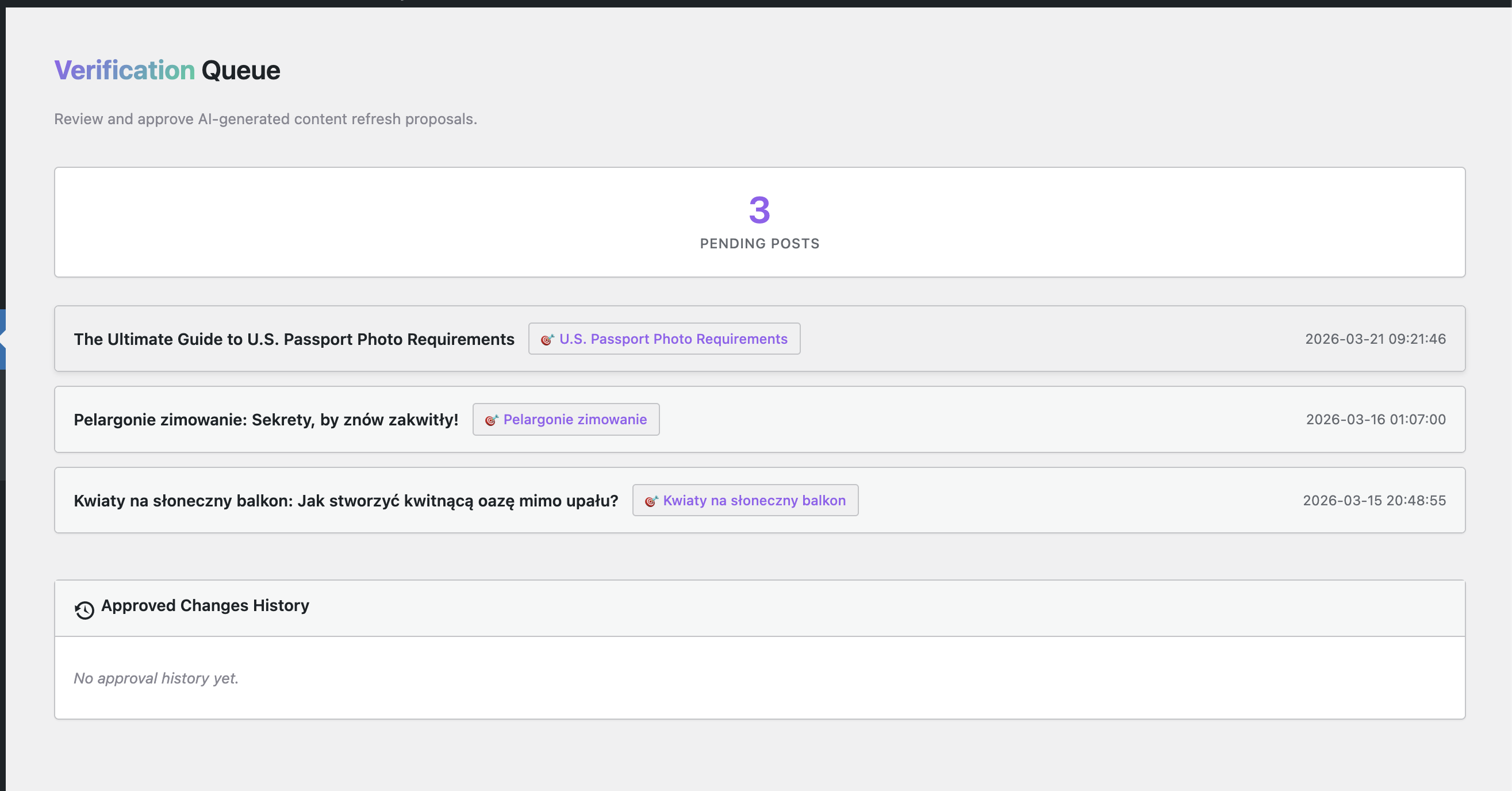
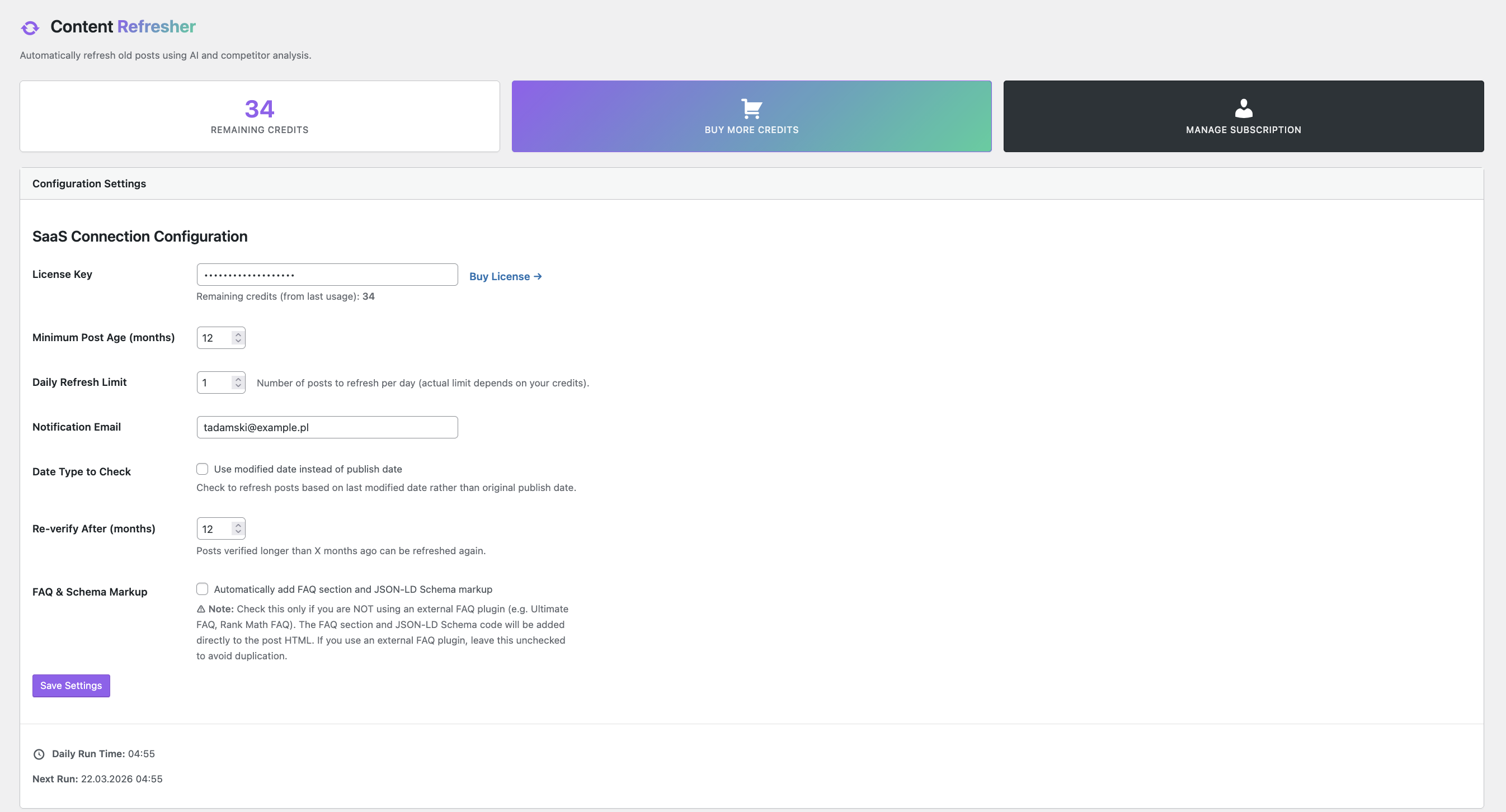
Settings Panel – Configure your license key, post age threshold, and daily limit. 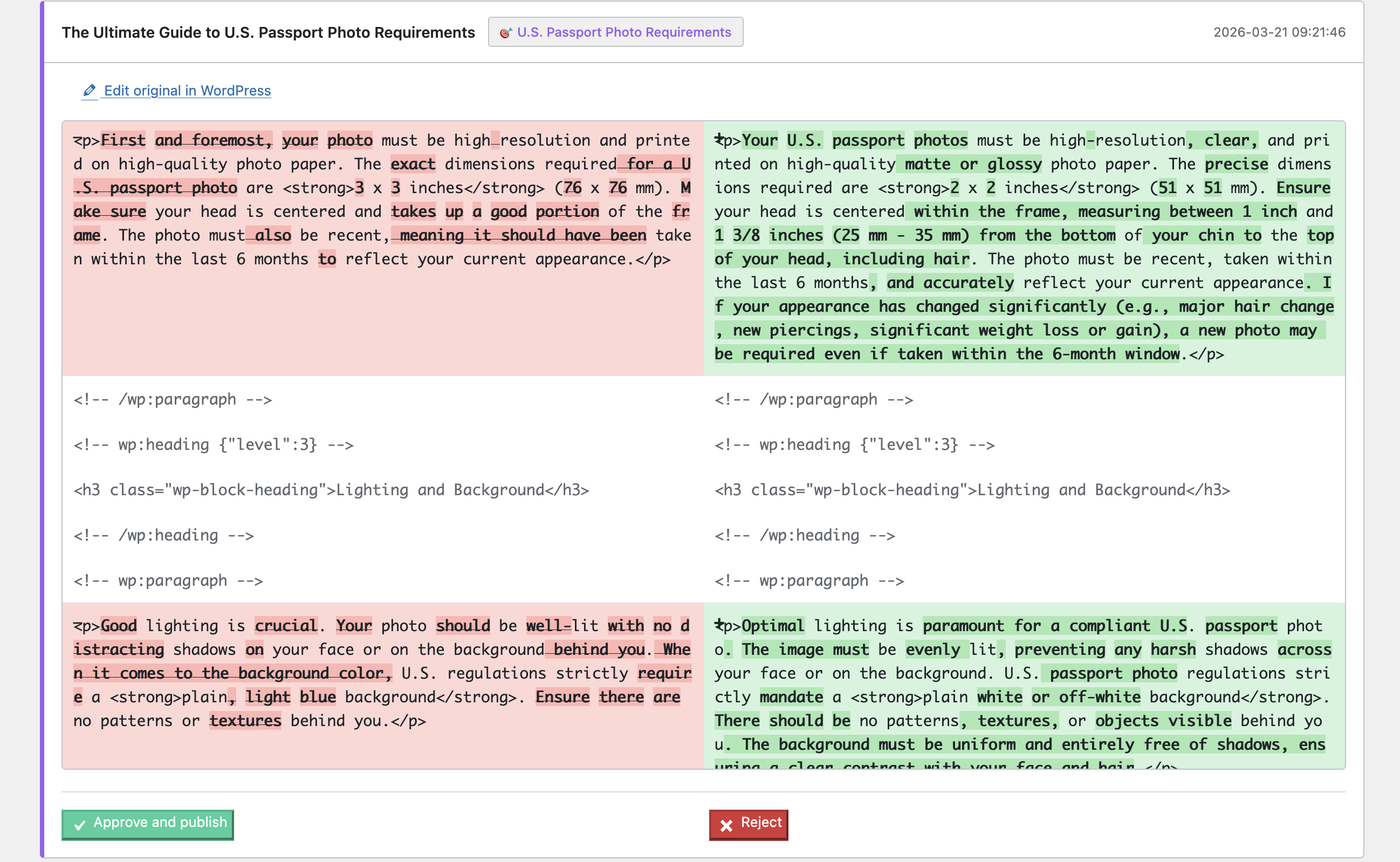
Help & FAQ – In-plugin documentation explaining all settings. 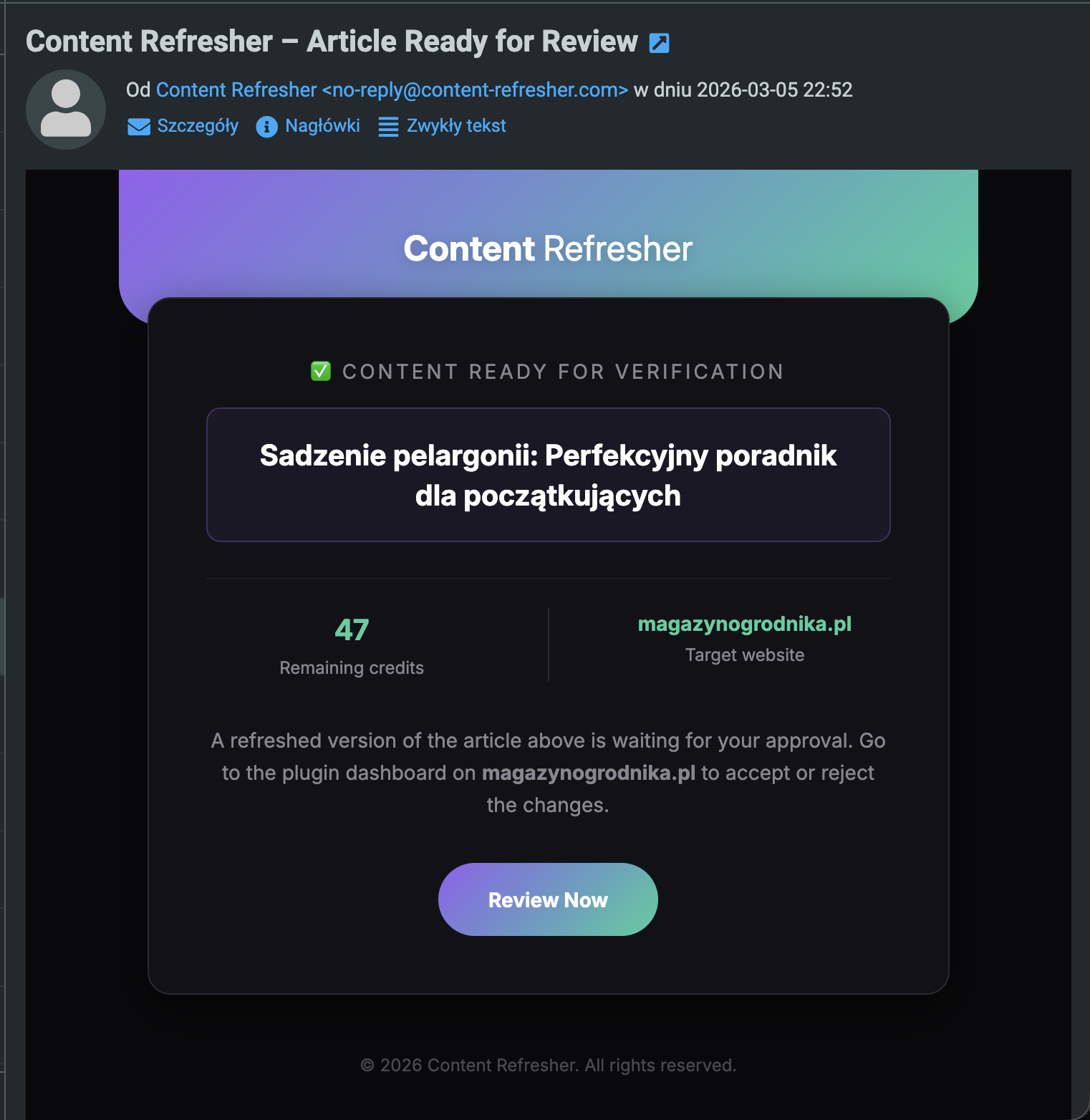
Installation
- Upload the
content-refresherfolder to your/wp-content/plugins/directory, or install directly via the WordPress plugin screen. - Activate the plugin through the Plugins menu in WordPress.
- Go to Content Refresher Settings and enter your license key.
- Configure your post age threshold and daily limit.
- The plugin will begin scanning your posts automatically on the next scheduled cron run.
FAQ
-
Do I need a license key?
-
No credit card or license key is required to get started. Upon installation, the plugin automatically activates a free trial token so you can immediately test a real AI refresh on one of your posts. After the trial, you can purchase a plan at https://content-refresher.com/.
-
Does the plugin automatically update my posts?
-
No. Content is only updated after you manually approve it in the Verification Queue. Nothing is published without your explicit action.
-
What data is sent to the external service?
-
Only the post title, content, and focus keyword are sent — solely to generate the refreshed draft. See the “External Services” section above for full details.
-
Can I use this on multiple sites?
-
Yes, depending on your plan. Each license includes a domain limit. You can connect multiple domains to one license key within your plan’s limits.
-
What happens if I run out of credits?
-
The plugin will stop processing posts until you top up your account. You can purchase additional token packs from within the plugin settings or from https://content-refresher.com/.
-
Is my content stored on your servers?
-
No. Post content is sent to generate a draft and the result is returned immediately. We do not store your post content after the response is delivered.
-
Which WordPress versions are supported?
-
Requires WordPress 6.0 or higher and PHP 8.0 or higher.
Reviews


Contributors & Developers
“Smart Decay Copilot by Content Refresher” is open source software. The following people have contributed to this plugin.
Contributors
Translate “Smart Decay Copilot by Content Refresher” into your language.
Interested in development?
Browse the code, check out the SVN repository, or subscribe to the development log by RSS.
Changelog
2.1.0
- Added: Free trial token system — every new installation automatically receives 1 complimentary refresh credit, no credit card required
- Added: Post Scope Selector — choose to refresh all posts, posts in specific categories, posts with specific tags, or individually hand-picked posts
- Fixed: Text Domain corrected to ‘content-refresher’ (plugin checker compliance)
- Fixed: Unescaped output in category and tag option elements (security hardening)
- Improved: Trial banner in plugin dashboard shows live credit count with upgrade CTA
2.0.2
- Added: Email notifications via Resend API for token purchases and completed refresh jobs
- Improved: Case-insensitive email matching for license lookup
- Fixed: Token purchases now correctly assigned to existing licenses regardless of status
2.0.1
- Added: Multi-domain support per license
- Added: Deep research integration via Tavily API (server-side)
- Improved: Admin dashboard with domain management UI
2.0.0
- Major rewrite with new verification queue workflow
- Added: Human-in-the-loop approval system
- Added: Cron-based automatic post scanning
- Added: Credit-based usage system
1.0.0
- Initial release